
STACKWORKS APPS / Collections
グッズ帳
Goods-cho: Merch Collection
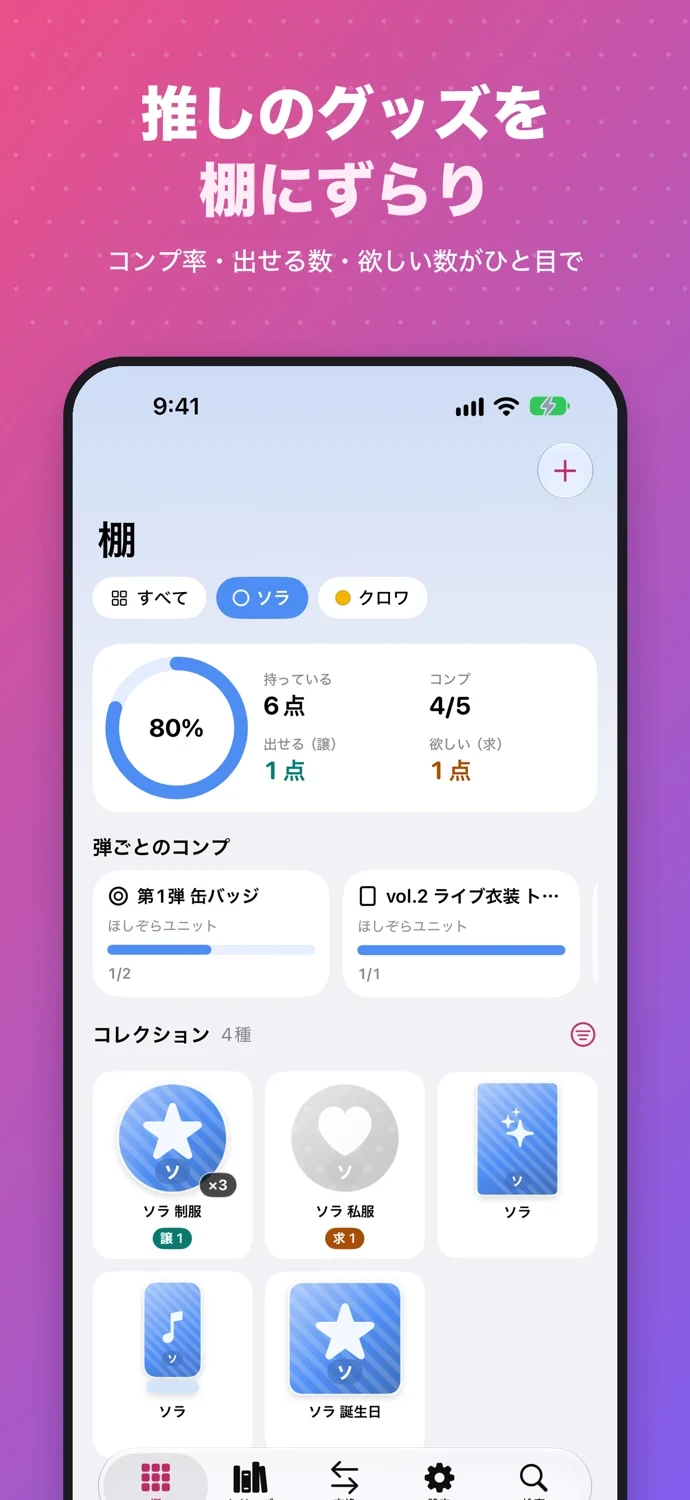
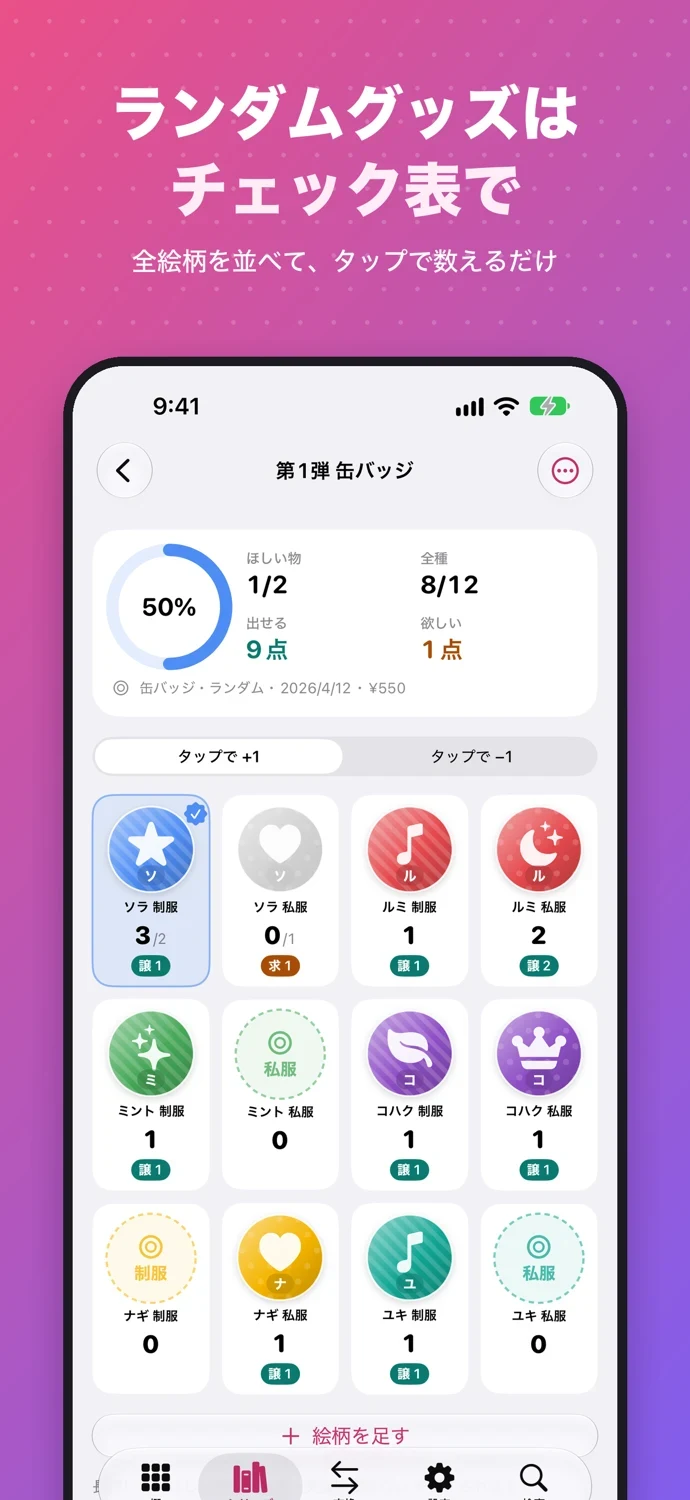
Keep your photocards, badges, acrylic stands and other merch together in one collection book. Count each design with a tap: Goods-cho automatically lists your extras and the items you still need.
See the store for current pricing and requirements.
APP SCREENS
A closer look at the app.
Tap an image to view it full size.
COLLECT YOUR WAY
Create a checklist for each set, add your favorite members or characters, and set the quantity you want for each design. Aim for a complete set or just your favorites. Search your collection before buying another copy. Record photos, notes, purchase dates and prices. Prices use whole currency units; totals are shown separately for each of 18 supported currencies, with no conversion.
FIND A TRADE
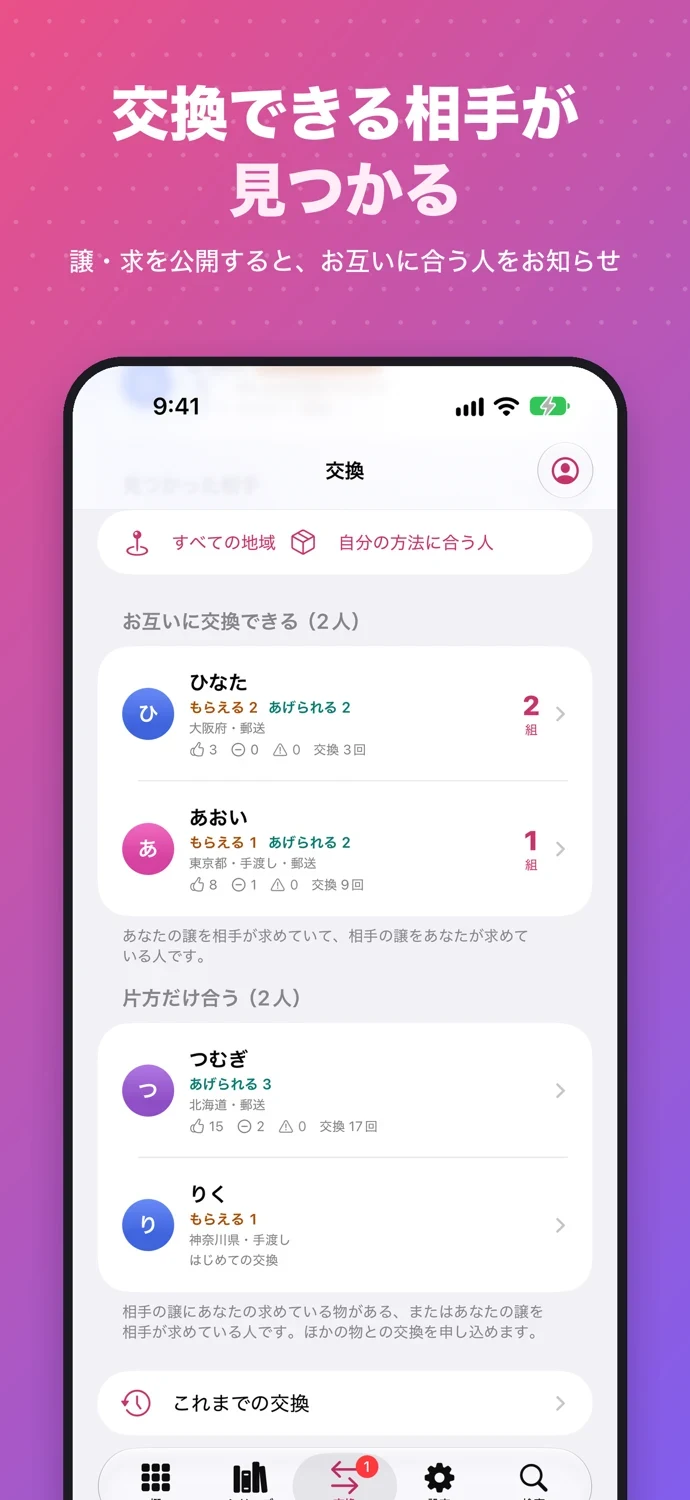
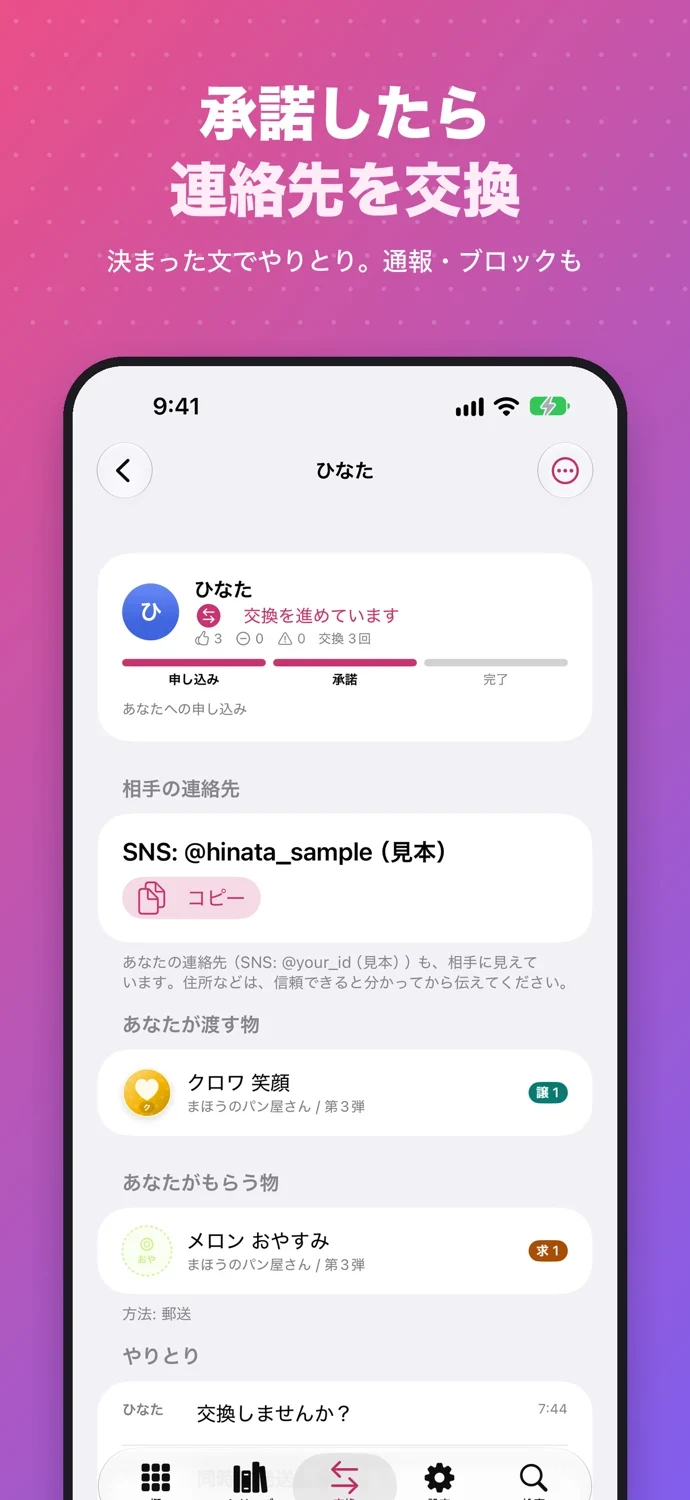
Sign in with Apple and choose which sets to publish. Match have/want lists with collectors in the same selected country or region, using mail or in-person trading. Contacts are shared only after a request is accepted, until the trade ends. Use preset replies, report or block users, and update your counts after a completed trade. Online trading is for ages 16+, with guardian consent under 18. Goods-for-goods only: no sales, payments or ticket transfers.
SHARE AND ADD
Create have/want posts and images. Compare a known partner’s exchange code, QR code or social post on your device without an account. Lay out several items in one photo and crop them individually on your iPhone; photos are not uploaded.
YOUR RECORDS
Records and photos stay on your device. Optional private iCloud sync, photo-inclusive backups and CSV export help you keep them. No item limit. Try fictional sample data without signing in. Supports Dark Mode, larger text, VoiceOver, Shortcuts and Siri.
Goods-cho Plus
Goods-cho Plus adds widgets, share image styles, custom headings, matching with all saved partners at once and theme colors. Family Sharing is supported. Checklists, online matching, standard sharing and backups do not require Plus.
Add your own names and photos. No official artwork or preloaded franchise catalog is included.
SUPPORT & CONTACT
Contact
For questions, bug reports, or requests, please use the contact form.
You can also email us at contact@stack-works.dev.